ToolSense
An inventory is the recording of a company’s assets and is often associated with the goods a company sells. Yet a company’s equipment is also part of its asset base and is often more critical to operations than the goods being sold. For this reason, equipment and other assets should be recorded in a fixed asset inventory. This gives teams an overview, helps them maintain equipment properly and supports better use of available resources. This article explains how equipment inventory works, what companies should consider and how inventory software can help.
The Topic in Brief
- In addition to the annual inventory at the end of the financial year, companies should carry out a fixed asset inventory about every three years.
- This fixed asset inventory records all tangible and intangible assets of a company.
- Software such as ToolSense can help digitalize and automate the inventory process.
- Useful data such as location or runtime can be collected and stored automatically.
Why Complete Recording of Equipment and Assets Matters
German commercial law requires merchants to carry out an annual inventory at the end of the financial year. But what about assets that are not sold and instead support production and service delivery? Recording equipment and devices is known as a fixed asset inventory and should be performed at least every three years through a physical inventory.
A fixed asset inventory offers major benefits because it creates an accurate overview of all tangible and intangible assets. This includes the vehicle fleet, all equipment, devices such as IT hardware, and intangible assets such as software licenses and patents. When a company has a clear overview of all assets, their condition and value, equipment can be used more effectively. Surplus equipment becomes visible, missing devices are identified and teams can make better economic decisions about purchases, maintenance or repairs. Only a complete overview allows equipment to be used correctly and cost-effectively.
Principles of an Effective Inventory
Inventory management should not be treated lightly. It creates many benefits for a company, but incorrect inventory lists can also cause problems. Four principles help guide an effective inventory:
- No double counting: Each item, including hardware and tools, is counted only once and recorded clearly.
- Completeness: All assets are captured accurately and without gaps. The full stock is documented.
- Accuracy: Once a company has chosen an inventory type, it must carry it out correctly and completely.
- Auditability: A knowledgeable third party must be able to understand and check the data collected during the inventory. Inventory lists should be retained for the required retention period.
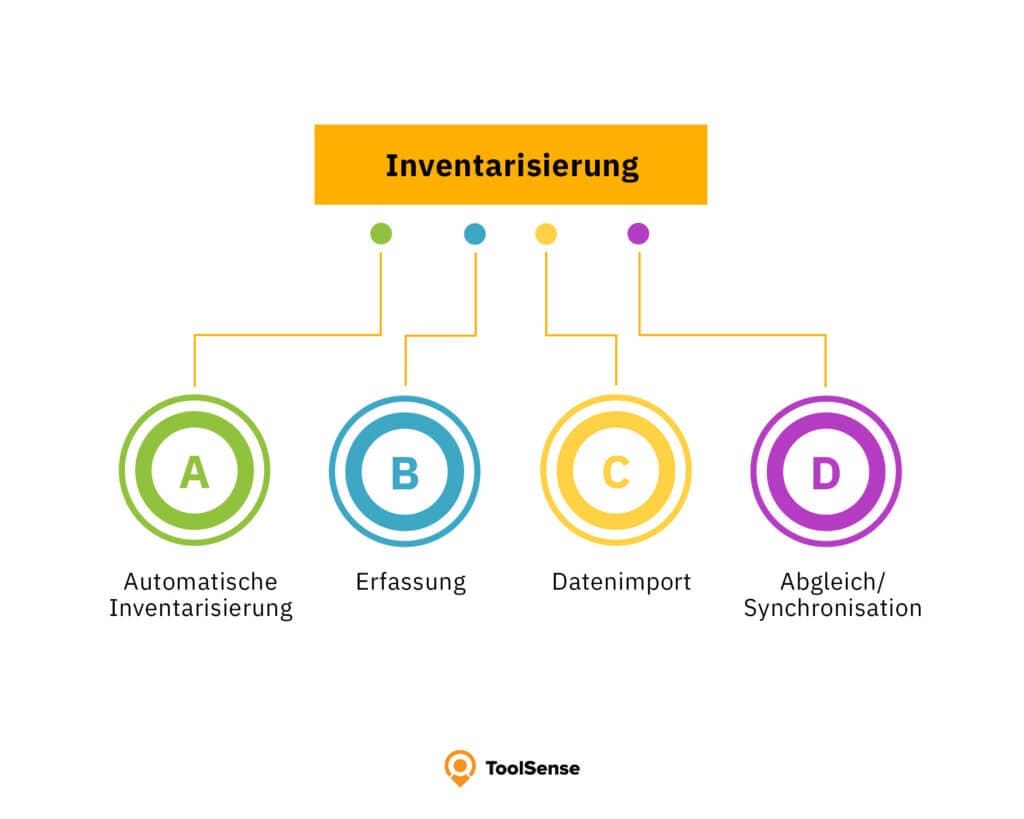
Which Data and Assets Should Be Recorded?
A fixed asset inventory differs from a regular inventory that mainly records goods and products for sale. A glossary of common inventory types and terms can help teams choose the right method. Asset inventory management, by contrast, lists all assets of a company. This includes tangible assets such as vehicles, machines, tools, hardware and IT equipment, as well as intangible assets such as software licenses and patents.
To check the asset base, companies should first prepare a complete list of all assets. Which additional data should be collected depends on the asset type and the company. Typical data points include:
- Location
- Acquisition cost
- Operating cost
- Acquisition date
- Runtime
- Downtime
Important Functions for Inventory Software
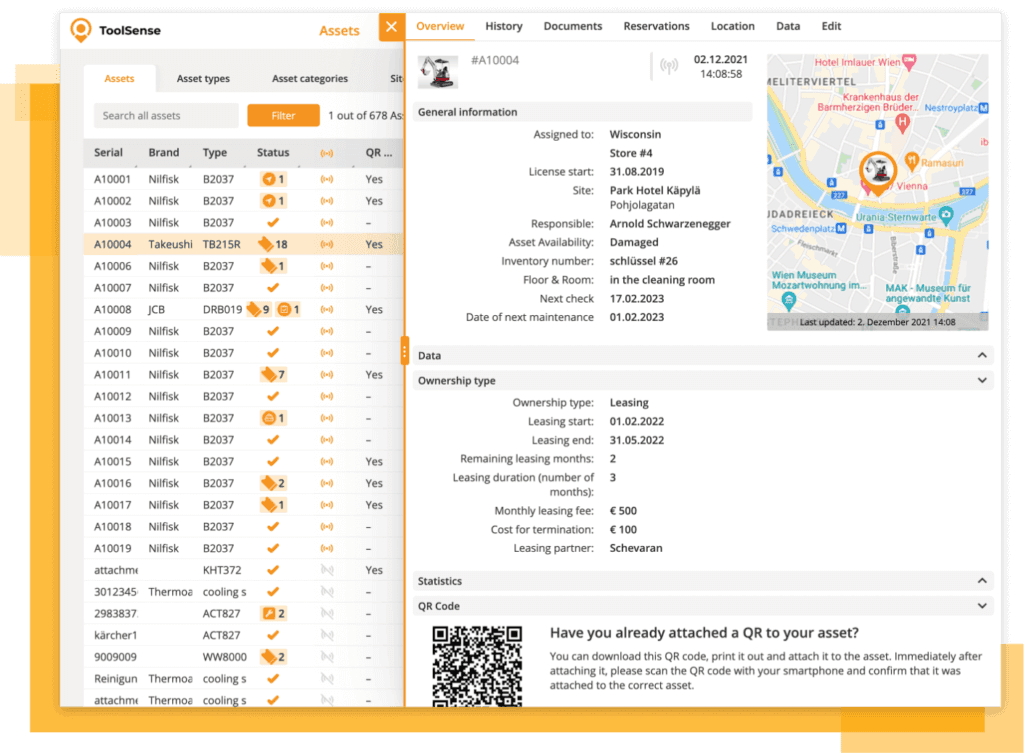
Inventory tools, such as dedicated software or an inventory app, support companies during asset recording and inventory management. They can make the process much easier. Good inventory software should include the following functions.
Core Functions
Complete recording of all assets
The right inventory software should capture every asset a company owns. This applies to vehicle inventory as well as the management of non-motorized assets. Good software should support all asset types, including fleets, IT hardware and medical devices.
Overview through an intuitive dashboard
In large organizations, long inventory lists quickly become hard to read. An intuitive dashboard is therefore especially important for inventory software, both on desktop and on mobile views for smartphones and tablets.
Connectivity with third-party systems and providers
Not every device comes from the same manufacturer. The software should therefore support third-party systems and providers so equipment can be inventoried in one platform.
Documentation of all relevant information
Creating a simple list of devices and vehicles is possible in Excel. But complex inventory management quickly becomes confusing. Good inventory software therefore lets teams store additional relevant information, such as invoices, runtimes, locations, maintenance history, images, videos and other files.
Creation and recording of inventory labels, barcodes and more
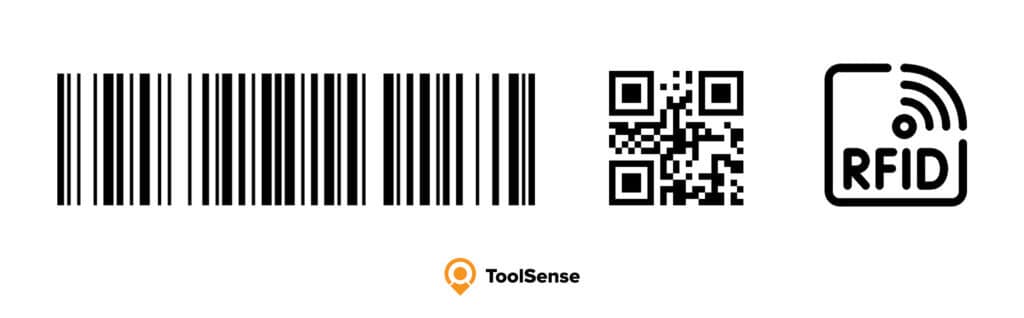
Inventory labels, barcode labels and RFID tags help assign machines and equipment clearly. Modern inventory software can create barcode or QR code labels and assign them to individual assets. Items can then be checked at any time with a barcode scanner or smartphone.
Further Selection Criteria
Alongside the essential features that inventory software should include, there are additional useful functions that simplify stocktaking and inventory management. For example, lifecycle management helps companies keep assets in view from purchase to disposal. This includes analysis of runtimes, maintenance work and related costs assigned to each asset. Customizable reporting and analytics functions help teams better understand and use existing inventory. Software can also support the management of licenses and contracts.
Preparation: How to Run a Complete and Sustainable Inventory
Creating an inventory is a large project that requires time and patience. If a company manages many inventory items and the machine inventory list is long, the inventory should be planned and organized carefully. The exact administrative effort depends on company size and the number of assets.
Collect, Sort and Digitalize Documents
To prepare for a fixed asset inventory, companies can use documents from previous years. Since inventory documents often need to be retained for years, key records should be easy to access. Inventory software makes this easier because documents can be stored digitally and kept securely. If older paper records still exist, they should be digitalized for completeness.
Create an Overview
Before the fixed asset inventory begins, companies should already have an overview of all important assets and know where each device is located. This prevents fleet inventory from failing because some vehicles are not on the company premises. IT assets used by employees in home offices should not be overlooked either.
Create a Schedule
For a smooth inventory day, companies should prepare a schedule beforehand. Responsibilities are assigned, the process is planned and the staffing effort is calculated. Inventory software supports this work and reduces effort across the process.
Review and Clarify Processes
How did the last inventory go? Which steps and processes from previous years can be improved? Reviewing completed inventories helps plan future processes and can reveal errors and inefficiencies. This improves the current inventory process.
Create Transparency
The final preparation step is clear communication. The inventory plan and any changes from previous years should be communicated clearly to the team so all employees understand the process. Written documentation is especially useful because possible questions can be answered before the inventory begins.
Conclusion: Keep an Overview of All Assets with ToolSense
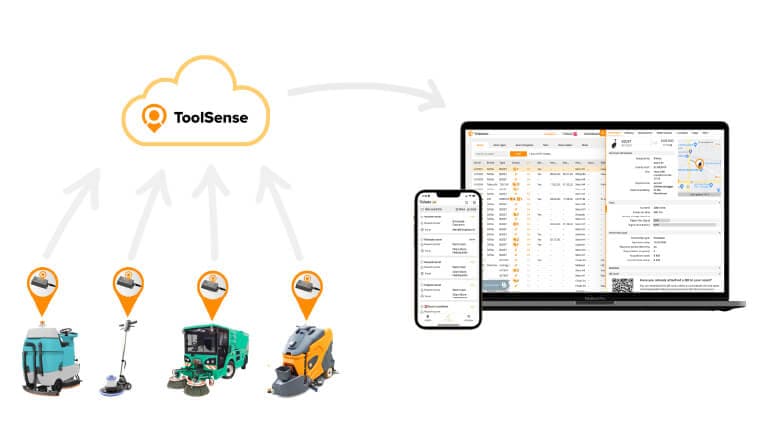
Inventory often creates stress and a great deal of manual work. Inventory software changes that because equipment and device inventory can be automated and digitalized. ToolSense combines asset management, inventory management, work order management and more in one clear cloud-based platform. Employees can access important data from the desktop or mobile view, whether they are at a desk, on a construction site or working from home.
Assets can be equipped with ToolSense hardware, such as GPS trackers and Bluetooth sensors, or with an individual QR code so location, runtime and maintenance work can be tracked easily and automatically. This information is stored in the lifecycle folder and can be accessed at any time. ToolSense also supports storage of photos, videos and other files, such as invoices and operating manuals. Since all information is stored in one place and data is collected, saved and processed in useful analytics, ToolSense helps companies complete the next inventory quickly and accurately.
FAQ
What Is Inventory?
Inventory means recording objects according to specific characteristics. In commerce, inventory is often referred to as stocktaking.
When Must Inventory Be Carried Out?
Commercial companies are generally required to carry out an annual inventory, usually at the end of the financial year. A fixed asset inventory should take place at least every three years.
What Is Inventory Data?
Inventory data is the data collected during an inventory. Depending on a company’s asset base, this data can vary. Examples include location, prices and acquisition date.