ToolSense
Maintenance is one of the core measures used to keep machines, devices, and vehicles safe and functional. It includes tasks such as cleaning, inspections, and replacing components. The goal is to preserve the target condition of equipment and maintain functional safety over a longer period. In companies with many machines or vehicles, maintenance management can quickly become difficult to coordinate.
A digital maintenance planner helps organize and document maintenance work so important dates are not missed and assets are not overlooked. Instead of relying on manual spreadsheets, modern companies use digital maintenance software.
The topic in brief
- A maintenance plan contains important information about upcoming maintenance dates and tasks for all relevant assets.
- Maintenance plans were often created in Excel, which causes a high manual workload.
- Digital maintenance planners help digitize and automate maintenance and repair processes.
- They can save time and money while extending machine life.
- ToolSense provides cloud-based CMMS and asset management for manufacturer-independent asset administration.
What is a digital maintenance plan?
A maintenance plan, also called a service plan, contains the schedule and key information for upcoming maintenance work. These requirements may come from the manufacturer, regulations, or internal company rules. Before digitalization, maintenance plans were often managed in Excel. Today, modern companies use maintenance software to organize recurring processes, manage inspection dates, and document completed maintenance work. This makes digital maintenance management especially useful for preventive maintenance.
What should be recorded in a maintenance plan?
Tasks
A maintenance planner records all tasks connected to maintenance measures. These include cleaning, spare-part replacement and ordering, repairs, inspections, and recurring checks.
Time
Time-related information includes inspection dates, maintenance intervals, and the time technicians spend maintaining individual devices and machines.
Objects
Every machine, device, vehicle, tool, or building component that requires maintenance should be listed. In facility management, a digital planner can also serve as a transparent documentation system for buildings and sites.

Responsible people
The plan should show who is responsible for each machine, area, or task. Clear responsibilities prevent confusion.
Instructions
Maintenance instructions should be stored for each machine, device, or vehicle so technicians can access the necessary information directly from the maintenance plan.
Benefits of individual maintenance planning software
Maintenance management is not new, but digitalization changes how it is organized. Manual Excel-based planners create high administrative effort. A digital maintenance program offers several advantages.
Keeping inspection dates
A digital maintenance plan provides comprehensive deadline management. Maintenance intervals can be stored individually for forklifts, vehicles, machinery, and other assets. The software sends automatic reminders when inspections or events are due and stores results afterward for complete documentation.
Reducing failures
Preventive maintenance aims to improve employee and machine safety, extend service life, and reduce downtime. Equipment maintained regularly fails less often because small issues are identified before they become major problems.
Smoother workflows
Large organizations often have complex maintenance processes. A digital maintenance planner allows all employees to access planning at the same time without version conflicts. Cloud-based tools support location-independent work, and checklists help technicians follow the right steps.
More safety and reliability
Excel maintenance plans can be deleted accidentally, overwritten, or blocked while someone else edits them. A software planner supports simultaneous work and keeps the maintenance status current.
More transparency
Maintenance software lets organizations define access rights and gives technicians or facility managers a clear overview of processes, history, results, and upcoming inspections. Important documents such as maintenance reports, contracts, and risk assessments can be stored in one place.
Lower costs and better occupational safety
Missed inspections and machine failures quickly create high costs. Digital maintenance plans improve preventive maintenance and reduce expenses by preventing major repairs, lowering downtime, and extending machine life. Properly maintained machines and buildings are also safer.
More time
Creating and maintaining plans in Excel takes time, especially when a company manages many assets or a large fleet. CMMS software requires initial setup, but automation and clear workflows make ongoing maintenance planning much faster.
How to create digital maintenance plans with ToolSense
Many companies hesitate because they expect high setup effort. ToolSense can be introduced in a few practical steps.
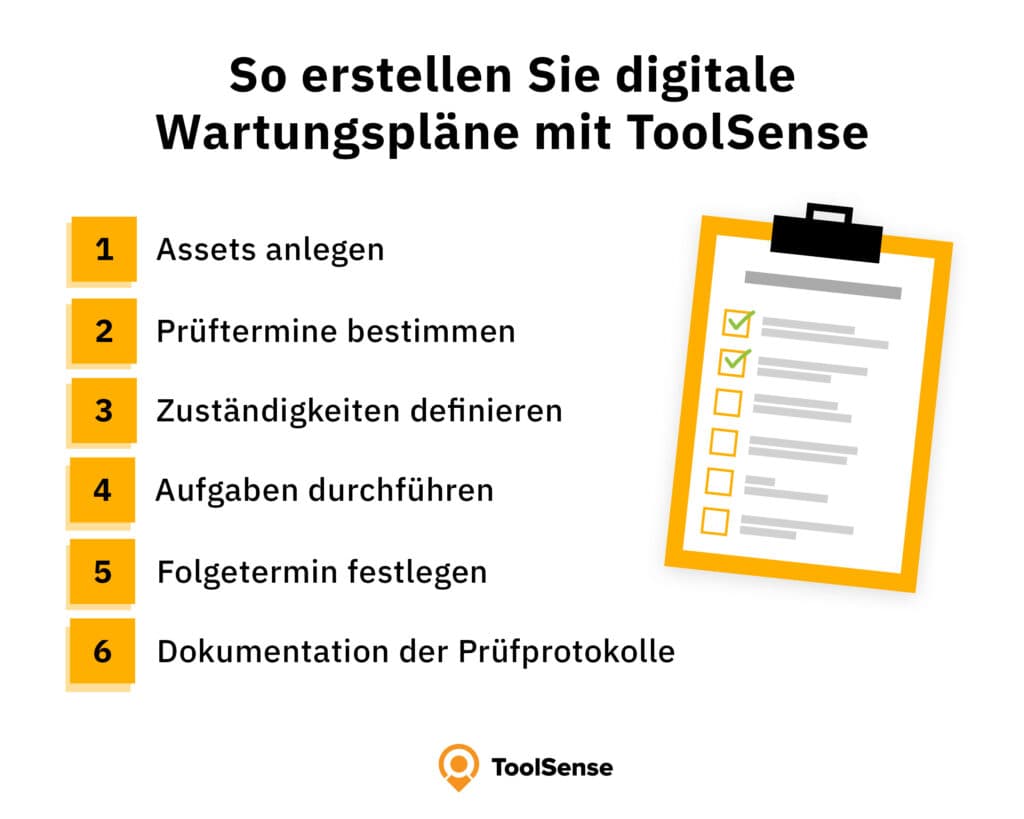
Step 1: Create assets
First, all assets are added to ToolSense. Whether you manage cranes, compressors, trucks, tools, or other equipment, the platform can administer assets from any manufacturer. If a complete list already exists, it can be imported via Excel.
Step 2: Define inspection dates
Different devices have different inspection dates and maintenance intervals. These can be entered as fixed or recurring events. Responsible employees receive reminders in the software or by email.
Step 3: Define responsibilities
Responsibilities must be assigned so reminders and work orders reach the right people. Tasks such as replacing spare parts can be assigned directly to employees.
Step 4: Carry out tasks
ToolSense work order management supports one-time and recurring workflows. Teams can assign employees, use checklists, complete tasks, and give feedback directly in the software.
Step 5: Set follow-up dates
If maintenance is not completed satisfactorily or follow-up appointments are needed, these dates can be created in a few clicks.
Step 6: Document inspection reports
Each asset receives an individual lifecycle folder where inspection records, contracts, reports, invoices, warranties, instructions, photos, and videos can be stored. Because ToolSense is cloud-based, employees can access this information from desktop and mobile devices.

Conclusion
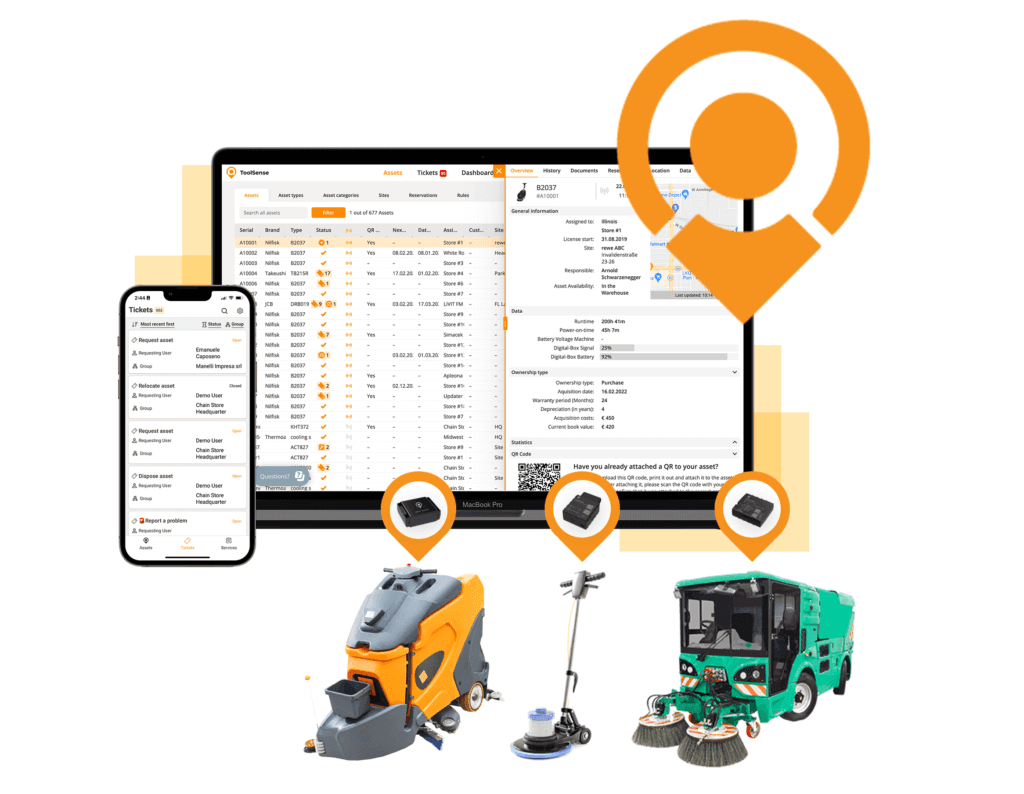
A digital maintenance plan can significantly simplify daily work, especially when companies manage many different assets. ToolSense helps create digital maintenance plans, keep important dates visible, receive reminders, process work orders, and store all machine information in one place.
It reduces manual work and supports preventive maintenance. Over time, that can lower repair costs, extend equipment life, and improve reliability.
FAQ
What is a maintenance plan?
A maintenance plan, or service plan, defines when machines, devices, tools, or vehicles need maintenance or inspection. Intervals may be set by manufacturers, regulations, or the company.
What is maintenance documentation?
Maintenance documentation describes intervals and scope of maintenance and inspections. It can also include direct instructions for technicians.
What is the purpose of a maintenance report?
A maintenance report documents planned or completed maintenance work. It gives technicians instructions and creates a record of what was done and what the result was.
What are the top capabilities of a digital maintenance planner?
It should manage all assets, assign work orders clearly, define maintenance intervals, send automatic reminders, and store documentation in one place.