Enterprise Software
For many equipment OEMs and dealers, the customer relationship becomes surprisingly fragile after the machine is delivered. Service requests arrive by email, manuals are sent as PDFs, warranty conversations sit in personal inboxes and customers often use third-party systems to understand the equipment they bought from you.
White-label customer portal software changes that pattern. It gives customers a branded place to manage equipment, request service, access documents and see status updates, while the manufacturer or dealer keeps ownership of the digital relationship.
What Is a White-Label Customer Portal?
A white-label customer portal is a self-service software layer that runs under your brand, on your domain or customer environment, while the underlying platform provider stays in the background.
For OEMs and dealers, the portal usually sits between the end customer, the service team and the installed equipment base. Instead of sending customers to a generic vendor app, the portal can become the digital front door for:
- Registered machines and asset records.
- Service requests, warranty cases and repair status.
- Manuals, inspection records and safety documents.
- Spare parts requests and recurring service offers.
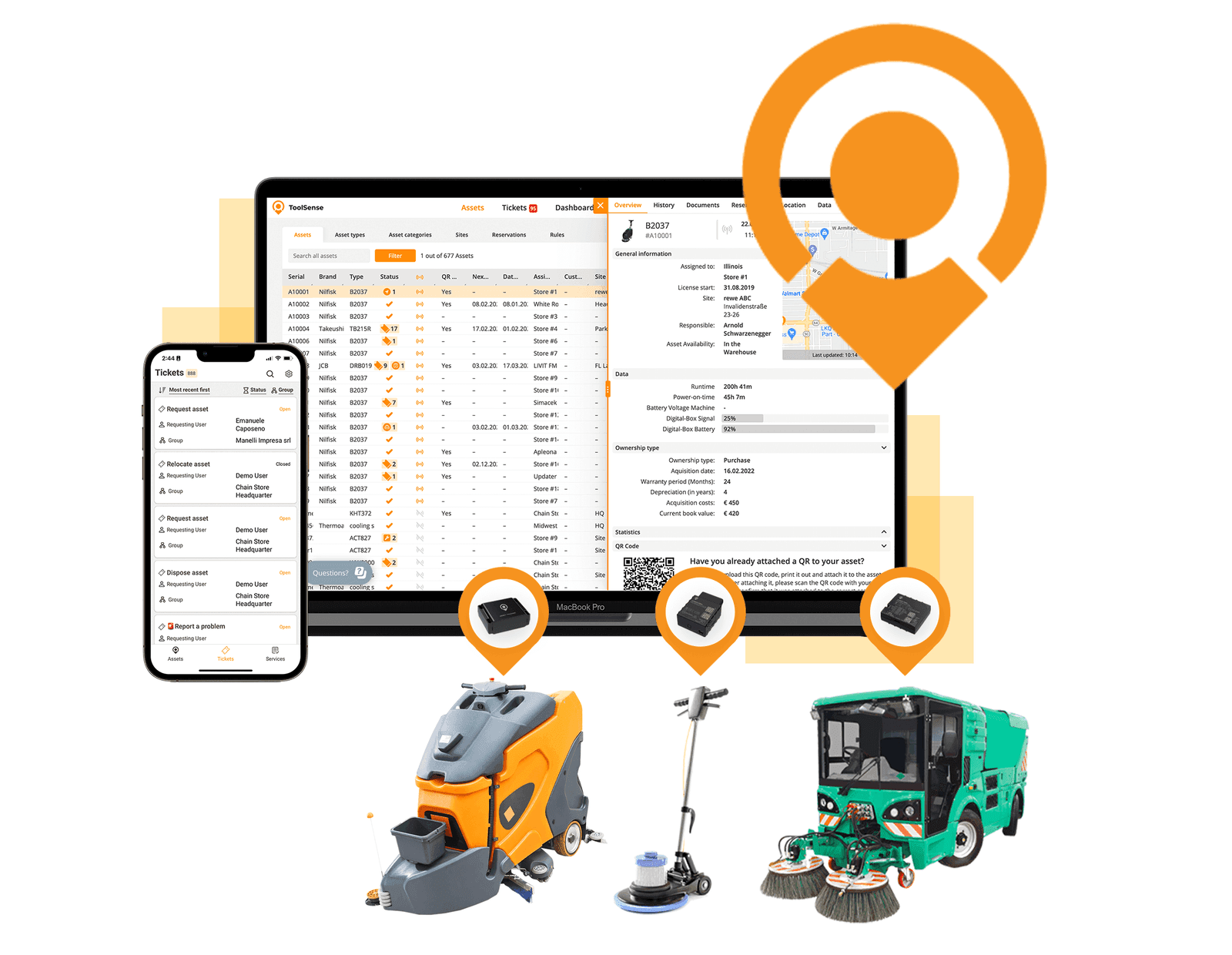
- IoT or telematics data from connected equipment.
- Customer-specific dashboards and reports.
The strongest portals do not act as a separate customer website. They connect directly to field service, asset management and IoT workflows, so the portal is useful to customers and operationally useful to the service organization.
Why OEMs and Dealers Need Their Own Portal
Customers increasingly expect the same digital transparency from industrial and FM equipment vendors that they get from consumer software. They want to know which assets they own, what was serviced, which documents apply and when an issue will be resolved.
Without a portal, that information often lives across disconnected systems:
- CRM records for the commercial relationship.
- ERP records for parts and invoices.
- Field service software for technician work.
- Email threads for customer communication.
- Manufacturer clouds for connected-machine data.
- Shared drives for manuals and certificates.
That fragmentation makes the customer experience feel slow and opaque. It also weakens the OEM or dealer's ability to sell recurring services, because customers do not have one trusted place to see the value of those services.
A branded portal gives the customer one route into the service relationship. That is why white-label customer portal software is becoming a strategic layer for OEMs and dealers, not just a support add-on.
Core Features to Look For
The right feature set depends on your service model, but most OEM and dealer portals should cover five foundations.
1. Customer Asset View
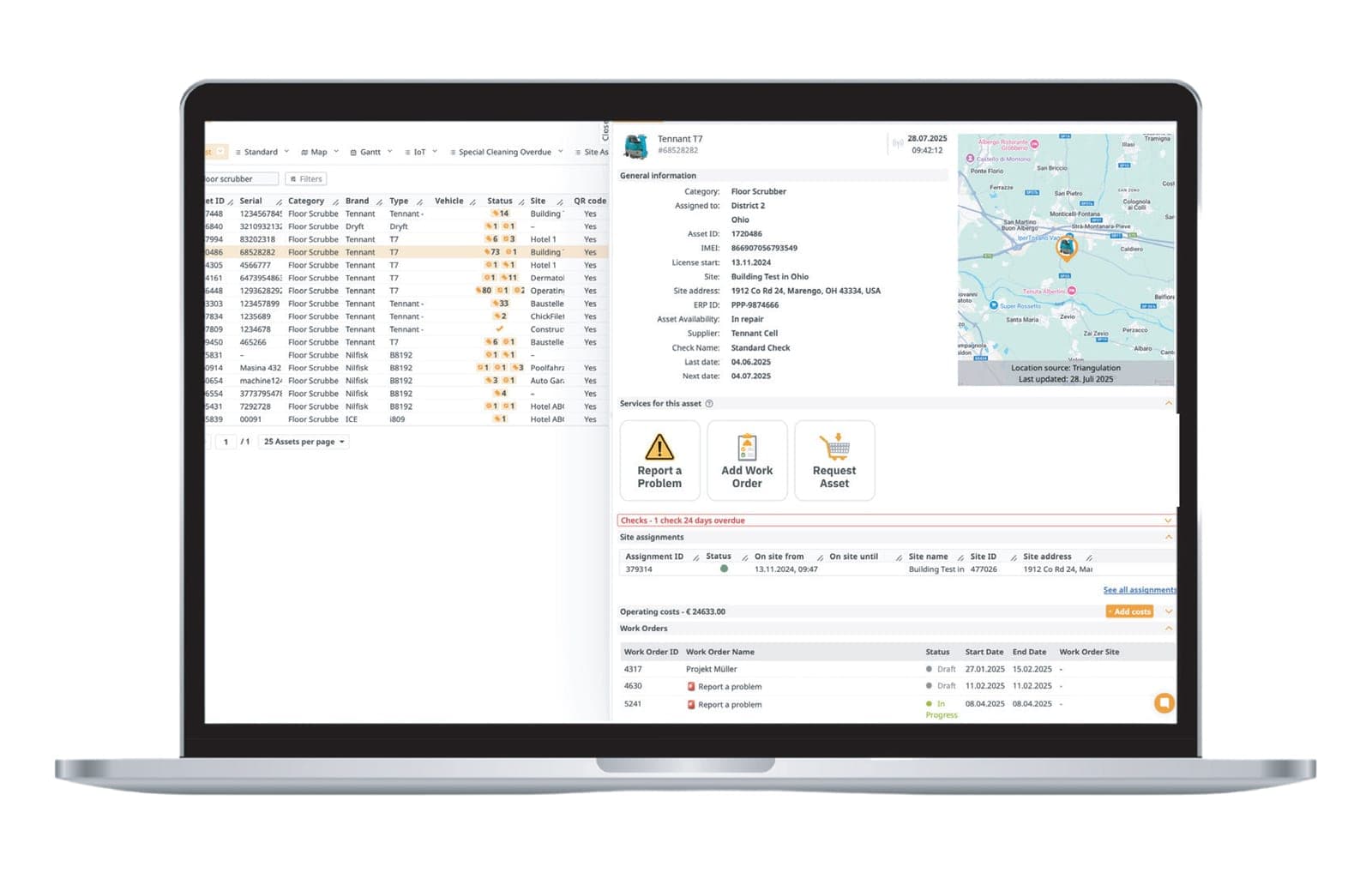
Customers should see the equipment they own or operate, including serial numbers, location, warranty status, documents and service history. This avoids repeated questions such as "which machine are we talking about?" and gives the service team better context.
2. Service Request Intake
The portal should let customers raise issues, upload photos, select assets and describe problems without emailing a generic inbox. Ideally, those requests become structured tickets in your field service management software.
3. Document Access
Manuals, certificates, inspection records, service reports and warranty documents should be attached to the relevant customer and equipment records. That reduces manual document chasing and supports audit-heavy industries.
4. Branded Experience
White-label matters because the customer should experience the portal as your digital service channel. Branding, domain, navigation and customer-facing language should support your relationship, not someone else's platform.
5. Connected Equipment Data
When equipment is connected, a customer portal becomes much more valuable. Runtime, location, condition and error data from a white-label IoT platform can support predictive service, uptime reporting and usage-based service packages.
Build vs. Buy
Some OEMs consider building a customer portal internally. That can make sense when the portal is the core product. For most equipment manufacturers and dealers, however, the hidden cost is high.
An internal build usually requires:
- Customer authentication and role management.
- Asset and service data models.
- Mobile-friendly ticket intake.
- File and document permissions.
- ERP, CRM and service integrations.
- Ongoing security, hosting and support.
- Multilingual rollout and customer onboarding.
The risk is not only development time. The larger risk is building a portal that looks acceptable but does not connect deeply enough to service operations. Customers may log in once, find incomplete data and return to email.
Buying a purpose-built portal is usually faster when the goal is to digitize service around equipment, installed assets and recurring customer relationships. ToolSense supports OEM and dealer service businesses with customer portal, field service and connected-equipment workflows in one platform.
Implementation Checklist
Before rolling out a white-label portal, define the first customer workflow clearly. Do not start with every possible feature. Start with one high-frequency use case that customers already ask for.
Good first workflows include:
- Report an equipment issue.
- Download manuals and service documents.
- View installed machines and warranty status.
- Request spare parts or service.
- Track the status of open tickets.
Then define the internal ownership model. Who receives portal requests? Who updates status? Which documents are customer-visible? Which assets should each customer see? A portal improves the experience only when those process decisions are clear.
How ToolSense Fits
ToolSense ClientHub is white-label customer portal software for OEMs and dealers that want the customer relationship to stay under their own brand.
It connects customer-facing workflows with:
- Asset and machine records.
- Service requests and technician work.
- Documents, manuals and inspection history.
- IoT and telematics data.
- Branded customer self-service.
For OEMs and dealers that want to turn service into a recurring relationship, the portal should not be a detached website. It should be the visible customer layer of the whole service operation.
FAQ
What is white-label customer portal software?
White-label customer portal software is a branded self-service portal that lets customers access assets, service requests, documents and status updates under the OEM or dealer's own brand.
Why do OEMs need a customer portal?
OEMs use customer portals to keep ownership of the digital customer relationship after the sale, reduce manual service communication and create a foundation for recurring service revenue.
Should a customer portal connect to field service software?
Yes. A portal is much more useful when customer requests become structured service tickets, asset records and technician workflows instead of isolated form submissions.