Maintenance
If you run any kind of maintenance operation, you've probably run into the acronym CMMS — Computerized Maintenance Management System. It's the software that pulls scheduling, work orders, assets, and spare parts into one place instead of leaving them scattered across spreadsheets and someone's memory. This article covers what a CMMS actually is, how it works, the benefits it delivers, and why it has become a default part of serious asset management.
Key Takeaways
- A CMMS is a sophisticated software designed to centralize maintenance information and automate operations thus improving efficiency and safety while reducing costs.
- Modern CMMS systems centralize asset information, automate maintenance tasks, provide insights into equipment performance, and optimize asset usage. They offer core features like work order and asset management, preventive maintenance, inventory management, and analytics.
- Implementing CMMS software in various industries leads to streamlined workflows, reduced downtime, improved asset management, enhanced communication, decision-making and cost savings, supporting a shift from reactive to proactive maintenance strategies.
Defining the terms: CMMS Definition
The term CMMS comes up constantly in industrial maintenance, often without much explanation. So it's worth being precise about what a Computerized Maintenance Management System really is — and where it sits relative to the broader idea of maintenance management.
What is a Maintenance Management System?
A Maintenance Management System is a centralized platform for scheduling, monitoring, and reporting maintenance tasks. It tracks work orders in detail, which is what keeps assets and equipment reliable over their working life. That work order data is also the raw material for good decisions: it tells you where an asset stands, what it has cost, and what it's likely to need next.
It's less a single tool than a working partner for the maintenance team. Through maintenance management software, teams get features such as:
- Work order management
- Asset management
-
Preventive maintenance
- Maintenance and inventory management
The result is a more organized approach to scheduling and asset tracking — what used to be a tangle of disconnected activities becomes a single, data-driven process that's both efficient and cost-effective.
What is CMMS? What is a CMMS System? What is a CMMS Software?
A Computerized Maintenance Management System (CMMS) is the software-based version of all of this, and it sits at the heart of asset performance and maintenance management. The category goes back to the 1960s, but today's platforms do far more than their early predecessors: they deliver real-time insight into equipment performance and maintenance needs, which is exactly what organizations need to automate and centralize their operations.
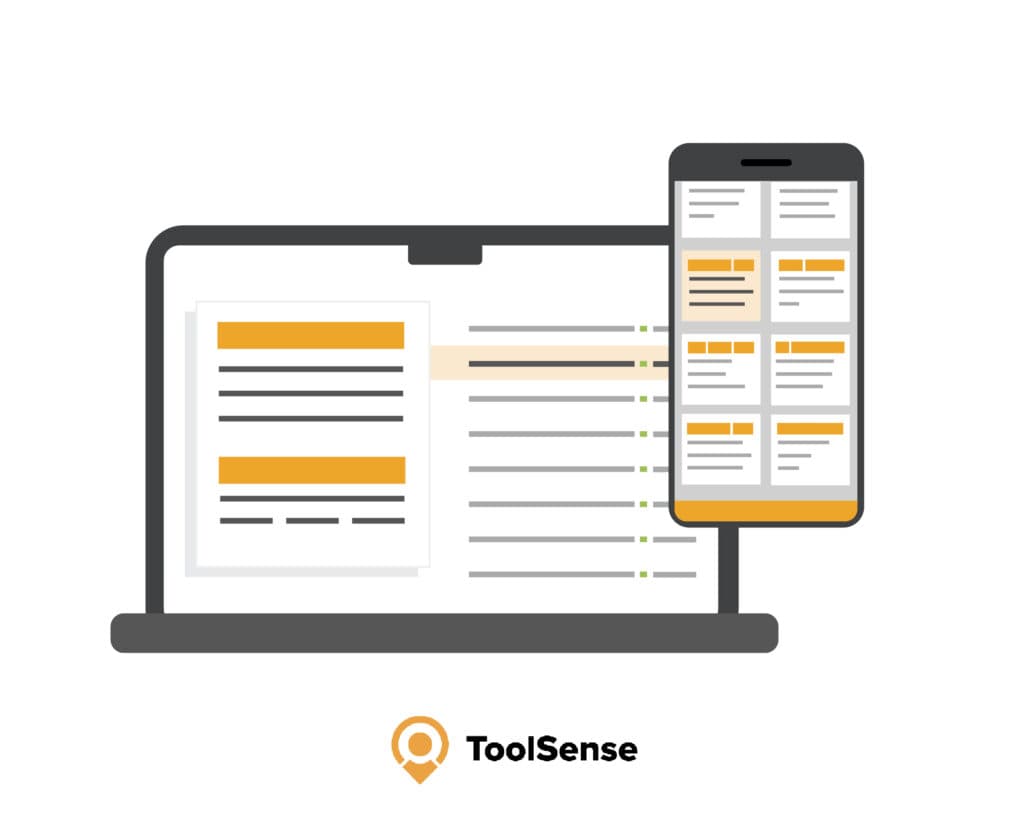
What makes CMMS software valuable is the range of jobs it handles at once: organizing, tracking, and diagnosing assets; improving communication; supporting cost-effective decisions; managing operations across multiple locations; and keeping you compliant with safety and environmental laws. That breadth is why it has become a fixture in any push toward operational excellence and lower maintenance costs. The labels vary — CMMS System, CMMS Software — but they all point to the same thing: a tool built to centralize maintenance information and operations.
How do CMMS Systems Work?
A CMMS runs maintenance the way a clock runs time — quietly, on schedule, with all the parts in sync. At its core, the system:
- Centralizes and automates maintenance tasks, equipment data, and inventory control
- Surfaces critical insight into equipment performance and maintenance needs
- Optimizes the use, availability, and lifespan of assets ranging from single machines to entire fleets
Think of it as the connective tissue of a maintenance operation. It gets there by covering a specific set of jobs: managing assets across locations, holding a replacement-parts inventory, planning maintenance tasks, allocating manpower and parts, reporting on maintenance costs and asset usage, and keeping you compliant with safety and environmental regulations. Once that's in place, the manual spreadsheets can go.
Core Functions of CMMS (Features)
Underneath the system sits a set of features that every solid maintenance operation leans on. A CMMS platform is built from:
- Work order management
- Asset management
- Preventive maintenance
- Inventory management
- Reporting and analytics
- Mobile app support
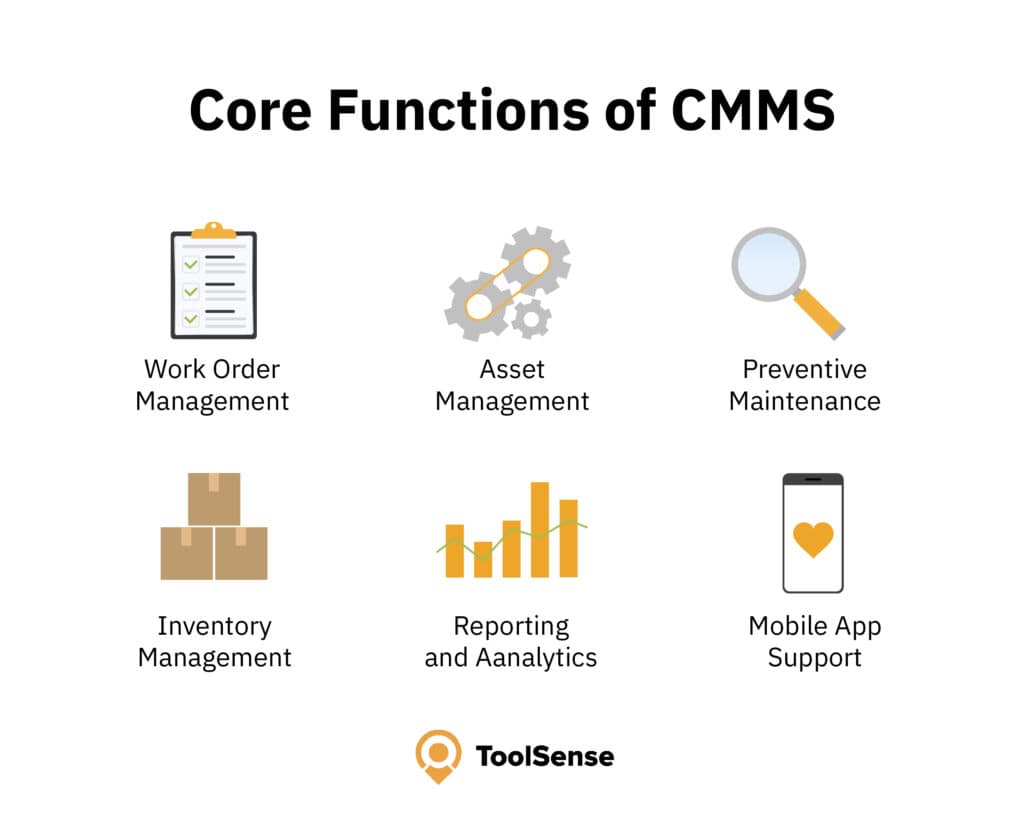
Together these pieces lift productivity and equipment performance while stripping out the manual work that used to slow maintenance teams down. It's the way they connect — work orders feeding asset records, analytics feeding scheduling — that turns a CMMS from a record-keeping tool into a genuine operational edge.
Benefits of CMMS Implementation
The payoff from a CMMS shows up across the operation. Key benefits include:
- Streamlined workflows
- Reduced downtime and costs
- Improved asset management
- Enhanced communication and decision-making
- Elevated operational transparency
- Optimized resource allocation
- Facilitated regulatory compliance
- Improved inventory accuracy
- Extended equipment lifespans
- Data-driven decision support
- Increased productivity
The core win is that maintenance happens when it should. Beyond that, the system uses its own data to task and schedule work efficiently, lining up the right people and parts so equipment spends less time waiting.
That covers everything from cutting equipment failure and production downtime to standardizing processes and tightening compliance. A CMMS handles today's maintenance load and adapts as new challenges show up, which keeps the whole operation improving rather than standing still.
The Role of CMMS in Asset Management
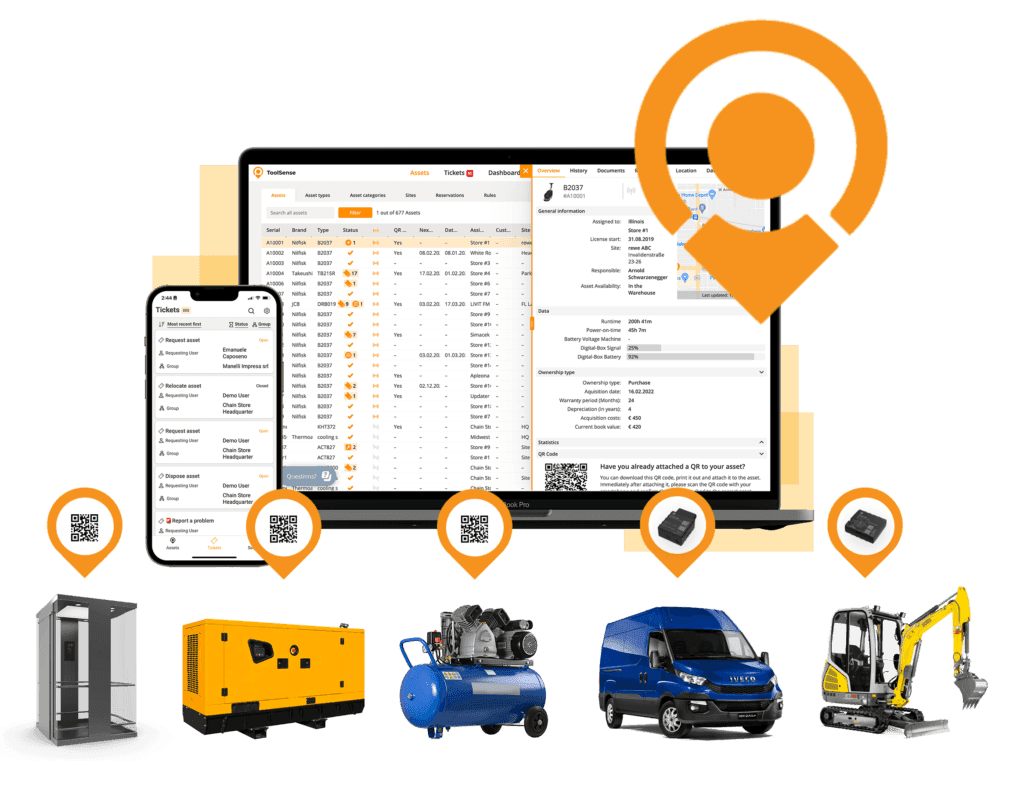
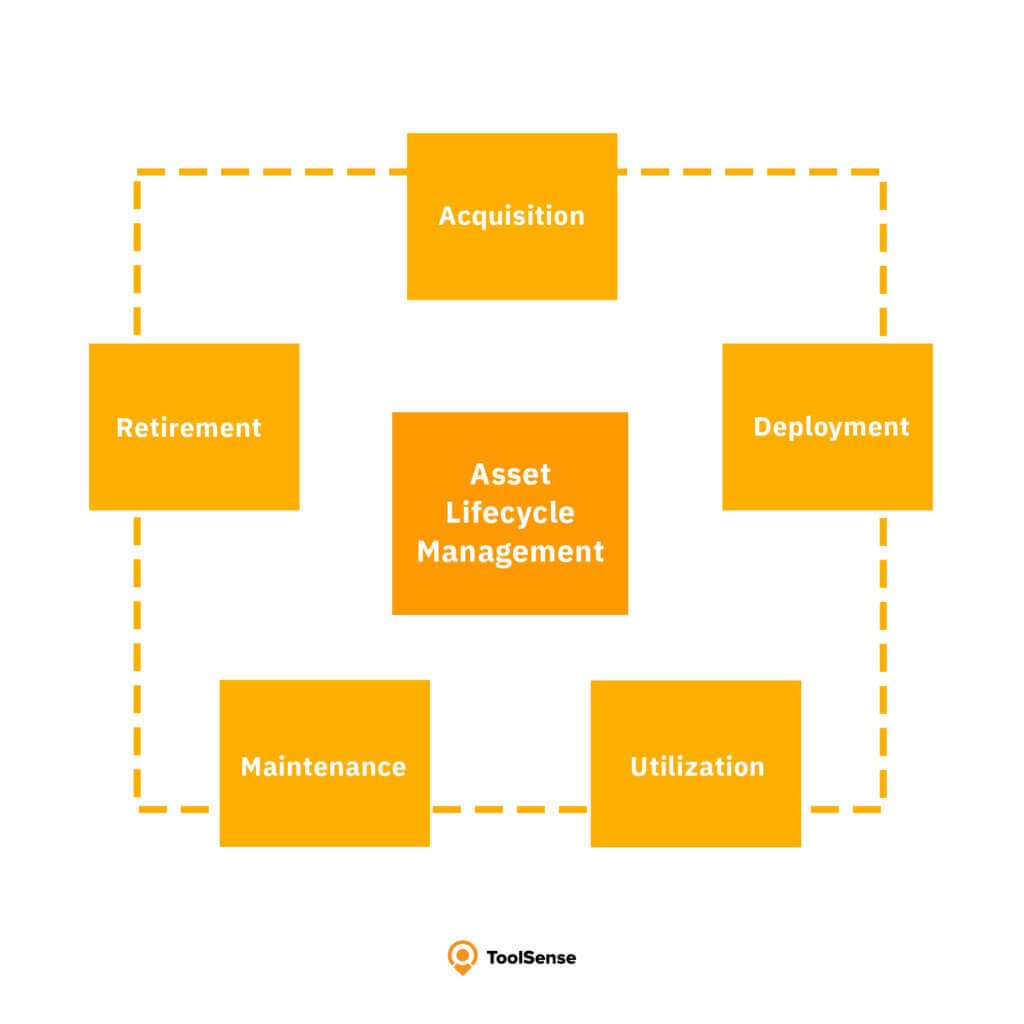
Asset management is where a CMMS really proves its worth. It reaches past day-to-day maintenance into full asset lifecycle management — tracking each asset from the day it's acquired to the day it's retired. By pulling in financial data from other departments, a CMMS helps with:
- reducing long-term, asset-related expenses
- improving asset performance and reliability
- optimizing asset utilization
- enhancing regulatory compliance
That's the lifecycle role in practice. Used this way, a CMMS gives you a clear read on maintenance performance and asset health, and that visibility is what drives the efficiency gains.
The mechanism is detailed asset tracking: up-to-date status on every unit and a maintenance history you can actually pull up, so nothing's health goes unmonitored.
Asset Tracking and Monitoring
Asset tracking and monitoring are central to any CMMS. By gathering asset information, maintenance history, and performance trends in one place, the system makes proactive maintenance and better decisions possible. Once you've identified every asset that needs upkeep and logged the essential data, you get a view of your fleet that's hard to match any other way.
In practice, that means a CMMS can:
- Analyze patterns in asset breakdowns
- Effectively manage maintenance and unscheduled downtime
- Ensure that complex assets, such as those in educational institutions, are maintained with precision
- Contribute to sound decision-making that extends asset lifespans and optimizes performance
It also keeps the documentation and procedures tied to each asset, and can integrate with building automation systems for centralized control and better energy efficiency.
Lifecycle Management
In lifecycle management, the CMMS does its work by reading historical maintenance data — spotting the patterns and trends that tell you how to tune your maintenance strategy and squeeze more out of each asset. That's what lets organizations stretch asset longevity, cut breakdowns, and bank real long-term savings.
The detailed digital profile a CMMS keeps for each asset is what makes it possible to calculate maintenance costs and make a clear-eyed call on capital spending and the repair-or-replace question. Because the system leans toward preventive maintenance — flagging likely problems early so you can intervene before something fails — it supports the entire lifecycle, from pre-installation planning all the way to decommissioning.
CMMS Best Practices: Real-World CMMS Applications in Various Industries
CMMS shows up across a wide range of industries, each bending it to its own maintenance needs. The common thread in good implementations is choosing a digital solution that moves the needle on cost, efficiency, and safety. In education, for instance, a CMMS becomes the organizational hub — managing support tickets and routine maintenance so requests get resolved faster and costs get allocated more cleanly.
The maritime sector uses it differently. There, companies rely on CMMS solutions to keep maintenance history records and stay on top of maintenance requests, which adds transparency and keeps operations running. The same system doubles as a database for safety materials and inspection checklists, feeding into employee health and safety tracking. Examples like these show how far CMMS stretches across very different settings.
The next two sections look more closely at facility management and the construction sector as best-practice examples.
Facility Management Industry
Facility management is one of the clearest beneficiaries of a CMMS. The field exists to keep a built environment — office complexes, schools, hospitals — functional, comfortable, safe, and efficient, and that depends entirely on the upkeep of the systems and infrastructure inside it. A CMMS earns its place here by:
- Systematizing the tracking of maintenance requests and work order completions, providing a clear overview of tasks and their status
- Enabling facility managers to make better-informed decisions about asset procurement and lifecycle management
- Assisting in the management of vendor contracts and associated documentation
- Streamlining the process of regulatory compliance and safety checks, maintaining a safe environment for occupants
- Facilitating real-time updates and communication between maintenance teams and management
- Allowing for the scheduling of preventive maintenance to minimize the risk of system failures and extend asset life
With a CMMS in place, facility management can move from a reactive model to a preventive and predictive one. It can run energy-saving strategies by monitoring systems and pinpointing where to improve, make better use of space and equipment for real cost savings, and direct maintenance resources so critical infrastructure gets attention when it matters.
That kind of proactive, data-driven approach is what keeps standards high and occupants satisfied. CMMS platforms with mobile or web access push this further still — facility managers get instant access to the data they need and can manage maintenance from anywhere, which keeps the whole team moving.
Construction Industry
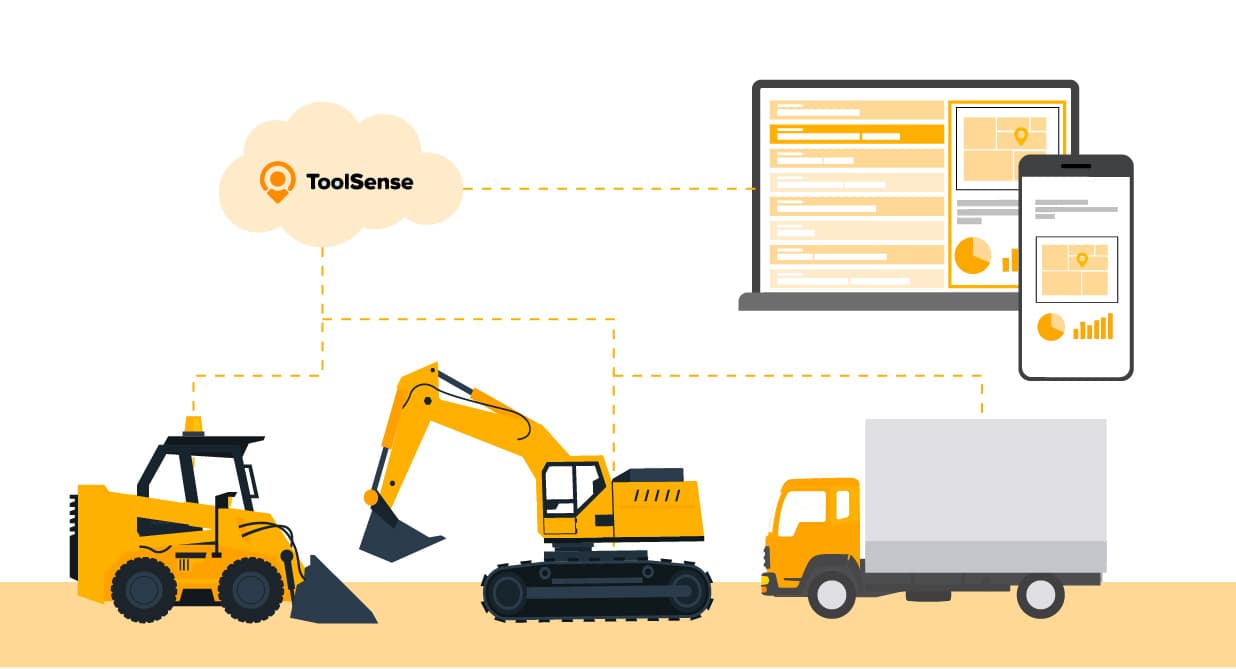
On a construction site, CMMS software does its heaviest lifting around equipment and machinery — the assets a project can't finish without. It gives construction managers a running record of maintenance and service history, so machines stay efficient and safety standards hold up under scrutiny. The result is more reliable equipment, less costly downtime, and a better shot at hitting tight project schedules.
The key advantages of a CMMS on construction projects include:
- Scheduling regular maintenance to prevent equipment failure on critical tasks
- Monitoring equipment usage and performance to optimize the allocation of machinery
- Keeping a comprehensive record of maintenance and repairs to support warranty claims and audits
- Enabling rapid response to equipment breakdowns with mobile access to maintenance records and work orders
- Tracking inventory of spare parts to minimize delays in repairs and maintenance
- Ensuring compliance with safety regulations and standards through detailed records of inspections and corrective actions
Build a CMMS into the operation and a construction company sharpens its asset management — which translates fairly directly into higher productivity and lower project costs.
EAM vs. CMMS
CMMS and EAM (Enterprise Asset Management) get confused constantly, across every industry, and the difference is worth getting straight. A CMMS is built to manage asset maintenance and extend equipment life. EAM covers a wider field — the entire asset lifecycle, acquisition through disposal. Put another way, a CMMS streamlines maintenance tasks, equipment data, and inventory control, while EAM tracks, manages, and analyzes asset performance and costs on a much larger scale.
CMMS platforms have grown popular precisely because of that maintenance focus: they organize a company's maintenance operations, tighten procedures, and support cost-effective decisions. EAM systems aim wider. Alongside maintenance, they handle procurement, project management, and lifecycle cost analysis, which makes them the better fit for organizations wrestling with complex asset portfolios. We compared the leading EAM software solutions in a separate article.
Best CMMS Software
Picking the right CMMS software has a direct effect on how well maintenance runs across your organization. The quick rundown below covers the top three solutions; our full article goes deeper, comparing the top ten.
- ToolSense: An all-in-one solution known for advanced workflow automation and an intuitive user experience. It's a strong fit for industries looking to fold IoT capabilities into their maintenance strategy.
- MaintainX: A mobile-first platform built for on-the-go maintenance management, strong on real-time communication and work order management — well suited to dynamic teams that need mobile access.
- UpKeep: Streamlined asset upkeep from anywhere, with an accessible mobile app and a broad toolkit that serves industries from manufacturing to hospitality.
The full article digs into the specific features, benefits, and quirks of the top-ranked systems — interface design, the core maintenance tools, how each integrates with other systems, and the level of support you can count on. Those are the criteria to weigh when you're sizing up which CMMS could lift maintenance management and team performance.
![Best CMMS Software Solutions [Top 10]](/_next/image?url=%2Fwp-content%2Fuploads%2F2024%2F04%2FBest-CMMS-Software-Titelbild-ToolSense-1024x554.jpg&w=3840&q=75&dpl=dpl_3Qtsjgoo3H1BXf1ivHgQ55aJiKSr)
Introducing ToolSense: Your CMMS Software
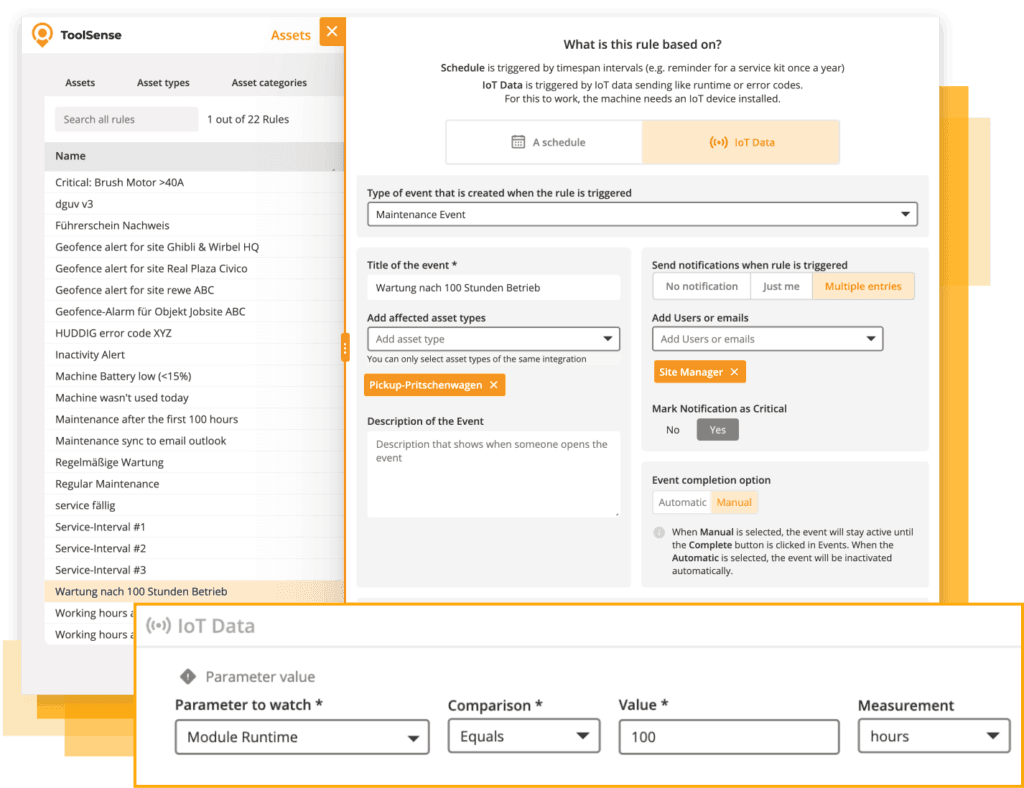
ToolSense is a CMMS software solution built for the real complexity of maintenance management. It stands out on a few fronts — workflow automation, QR code-enabled problem reporting, IoT integration, and an interface that's actually pleasant to use — all aimed at making assets and equipment easier to manage.
Setting up assets takes minutes. From there, a powerful rules engine lets you build maintenance workflows for many assets at once, while every related document stays organized and within reach.
The ToolSense CMMS is a cloud-based maintenance program that delivers:
- Eliminates the need for pen, paper, and Excel tables
- Provides a clear overview of maintenance tasks
- Significantly eases the maintenance management process
- Simplifies workflows for frontline workers
- Saves time for frontline workers
- Reduces company maintenance costs by 20%
FAQ
What are the primary elements of a CMMS platform?
The primary elements of a CMMS platform encompass operator interfaces, reporting dashboards, administrative settings, and databases to effectively manage maintenance operations.
What are the benefits of using a CMMS software?
Using CMMS software offers benefits such as streamlining preventive maintenance, organizing inventory management, reducing downtime, improving cost-effectiveness, enhancing communication, and supporting compliance and safety standards. In our article we assembled a comparison of the most relevant CMMS software providers .
What is a mobile CMMS?
A mobile CMMS is a smartphone app or a browser-based software accessible for mobile devices that allows maintenance teams to manage work orders, submit requests, and access asset history and documentation on the go, leading to improved efficiency and real-time updates.
How does CMMS provide asset visibility?
CMMS provides asset visibility by centralizing asset data in a database, offering a comprehensive view of asset health and performance, helping maintenance managers and teams make informed decisions.
What is the difference between CMMS and EAM?
CMMS focuses on automating maintenance tasks and streamlining maintenance operations, while EAM provides a broader range of features that cover the entire asset lifecycle, including procurement, project management, and lifecycle cost analysis. In short, EAM offers a more comprehensive set of functions than CMMS.