Equipment Management
Keeping track of equipment, assets, machines, vehicles and tools is harder than it looks, and getting it right is a key factor for every organisation. The pressure is sharpest in the cleaning industry and in construction, where dozens or hundreds of machines may be in use and teams need a clear, accessible overview at any moment. This guide explains what equipment management is, why it matters, and how the top 10 equipment management software products compare. These tools are also often referred to as asset management software. If your priority is locating assets rather than full lifecycle management, compare the main equipment tracking devices, or see our guide to construction tool tracking for jobsite tools.
Our Top Picks
- ToolSense The best all-in-one solution
- Limble Logo User-friendly interface
- Asset Panda Logo Adabptability and robust tracking
Key Facts about Equipment Management Software
- Equipment management software centralizes asset information, replacing inefficient spreadsheets and manual processes with digital tracking systems.
- Modern solutions like ToolSense offer QR code scanning for easy issue reporting without requiring login, making the system accessible to all staff members.
- Comprehensive asset lifecycle management includes tracking maintenance history, scheduling preventive maintenance, and monitoring equipment utilization.
- IoT integration enables real-time data collection on equipment location, runtime, and performance metrics for data-driven decision-making.
- The right equipment management software can reduce downtime by up to 70% and save approximately 20% on machine and maintenance costs.
Comparison of the Top Equipment Management Software
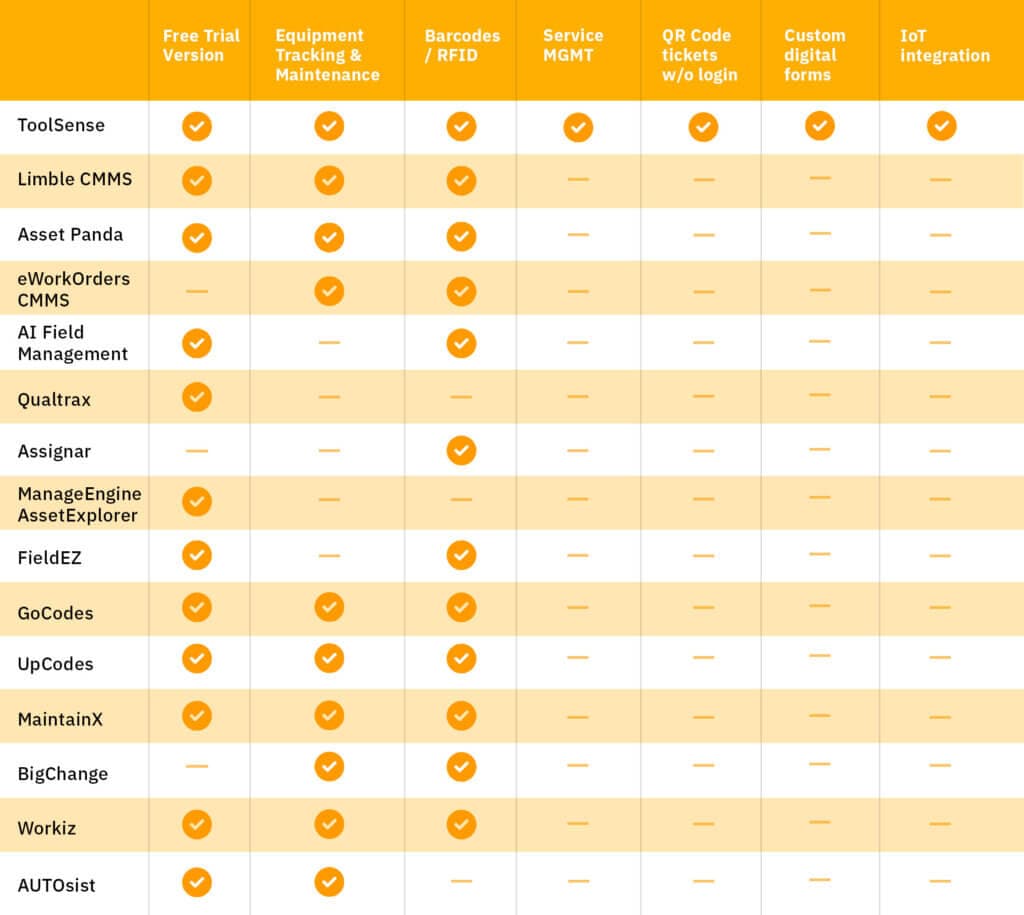
Equipment Management Software Solutions
ToolSense (#1)
ToolSense pairs software with IoT hardware for machine and service management, and it stays simple to use. You get efficient service processes and inspections along with full transparency over your equipment, your operations and your TCO.
Features
- Manage your entire equipment fleet
- Central life cycle folder per asset (asset lifecycle management)
- Facility management
- Report issues by scanning the QR code: without an app or login necessary (perfect fit for machine operators or customers).
- Track all kinds of machines, tools and assets (equipment tracking software).
- Digital machine ticketing for your fleet.
- Automate service scheduling and documentation.
- Digital, automated and efficient service processes.
- Automated service and inspection reminders (e.g. safety harness inspection, fire extinguisher inspection…)
-
Equipment inventory management
- Digitised processes, requests, and services around the machine.
- Customised solution for machine owners and manufacturers.
- Custom dashboards.
- Digitisation of service flows with form builder.
- Automated Total Cost of Ownership calculations for your equipment.
- ToolSense equipment management app for iOS & Android.
- Partnerships with >20 equipment manufacturers (e.g. i-team, Cleanfix, TYROLIT, Numatic, Columbus, STIHL, WOLFF Tools, NSS Enterprises…).
- Easy-to-do machine digitization with ToolSense IoT (works for every brand of equipment).
- Equipment maintenance software for small businesses and large ones.
Price
- ToolSense offers flexible options to meet your requirements.
- They have 3 packages available. Please contact ToolSense for prices.
Customer examples
In the Breer Gebäudedienste story, the team replaced an unreliable Excel-based overview with central machine data that staff can access on mobile. That is a typical reason companies move from simple equipment lists to dedicated software: the data needs to be usable during daily work, not only at the office.
The ABM case shows the same pattern at larger scale. ABM wanted to consolidate motorized and non-motorized assets from disconnected records and spreadsheets, including around 5,000 to 6,000 non-motorized assets. QR and barcode workflows made more sense than expensive hardware for every item, while dashboards gave the team a clearer operational overview.
Limble CMMS (#2)
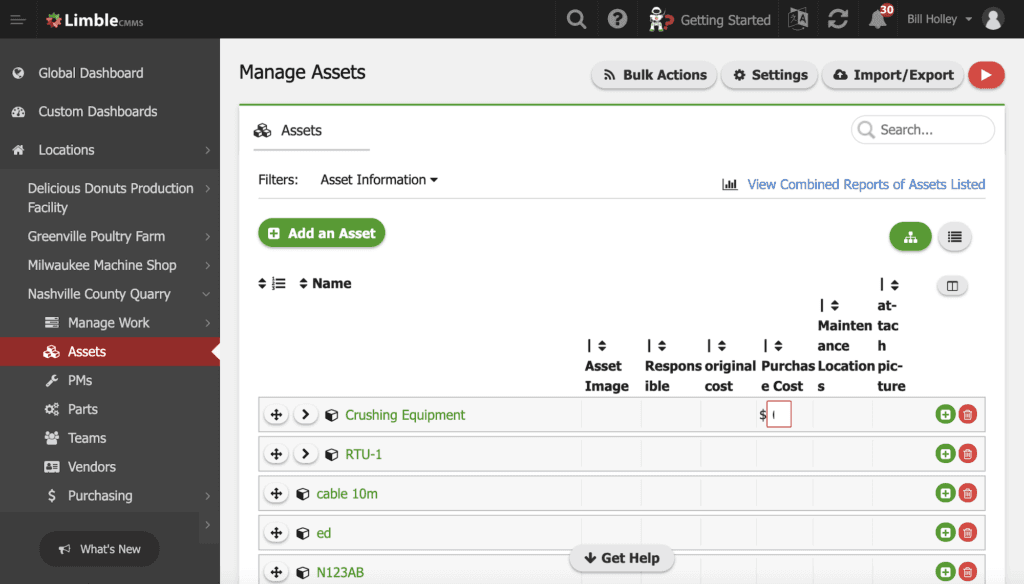
Limble is a mobile-first maintenance software solution (CMMS) that is simple to operate. Anyone who is authorised can submit a problem to the maintenance department by scanning a QR code or visiting a URL. With Limble you can customise your dashboard, cut downtime, and lift both productivity and asset life.
Features
- Manage between 10 and 1,000,000 assets.
- Centralised overview of assigned work orders, PMs and detailed maintenance logs.
- Receive instant communications via push and email notifications.
- Respond to and log problems while working on the problem.
- Lookup critical asset information while diagnosing an issue.
- Find information with QR codes.
- Automate PM scheduling.
- Equipment service management.
- Custom dashboards.
Price
- Limble CMMS has 4 Plans available, starting from $40/month.
- Free trial available.
Asset Panda (#3)
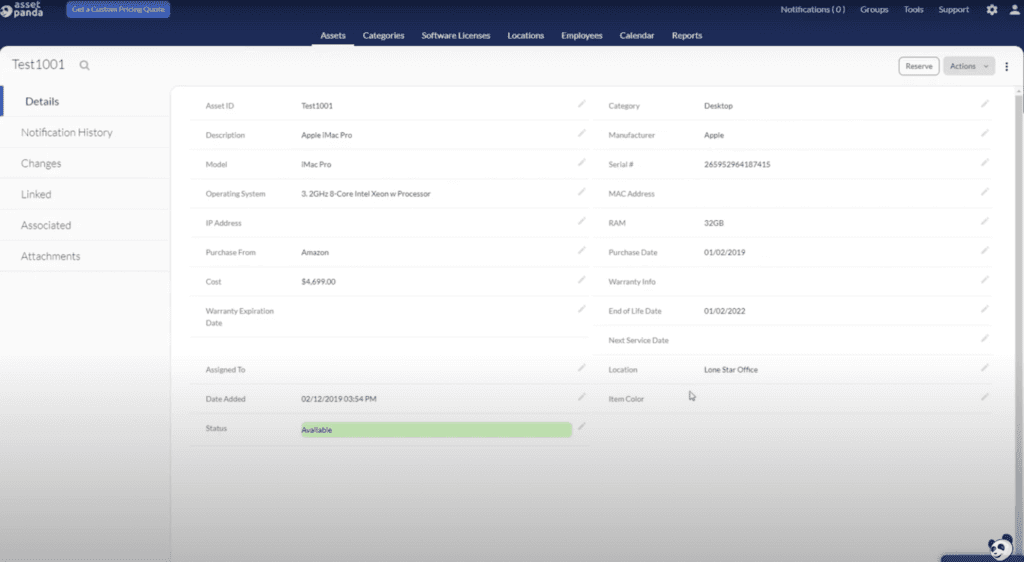
Asset Panda is an equipment maintenance management solution built for asset tracking. It is web-based and combines adaptability with solid support. The platform carries more complexity than many rivals, but the trade-off is depth: it can be configured to match the way you work and runs on Windows, Mac, iPad, and iPhone.
Features
- Full life cycle management.
- Track and manage your assets.
- Barcode scanner to look up asset details.
- Parent/child system.
- Customised exports and reports.
- Support ticketing workflow available via chat, email, and phone.
- Automated process for managing device history and maintenance records.
Price
- Costs depending on number of assets.
- Starting by 250 Assets for $183.33/month.
- Free trial available.
eWorkOrders CMMS (#4)
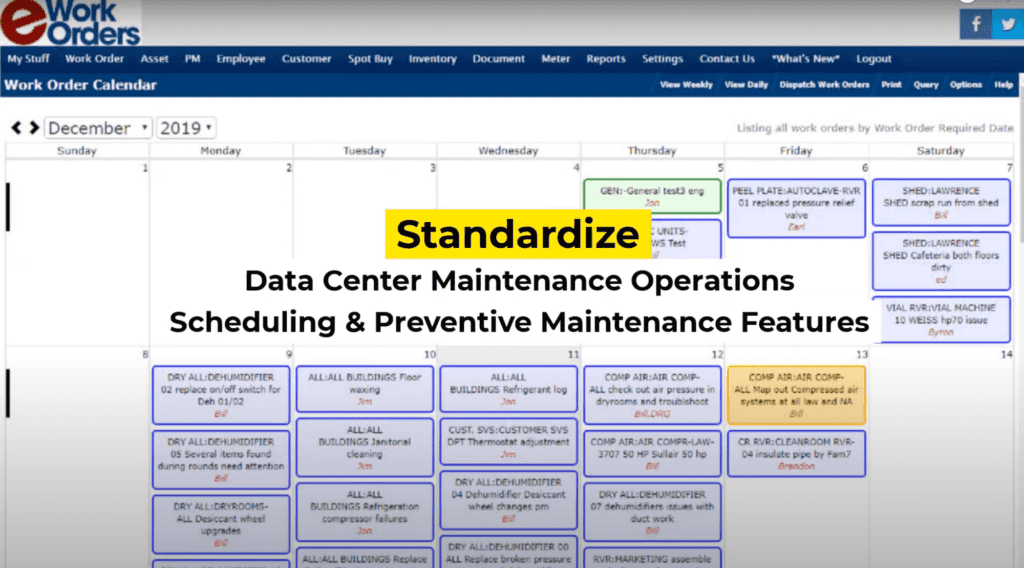
eWorkOrders is a cloud-based maintenance management solution aimed at improving efficiency, raising productivity, and cutting downtime and costs. It bundles an integrated tool suite for work order management, asset management, inventory management and preventive as well as predictive maintenance, all in a user-friendly and affordable package.
Features
- Enterprise asset management.
- Preventive management.
- Materials management.
- Track work order time.
- Create Reports, get data imports and exports.
- CMMS maintenance checklists.
- Configurable for companies of any size.
- Accessible from a computer or mobile device.
Price
- eWorkOrders CMMS starts at US$35.00/month.
- No free trial or free version.
AI Field Management (#5)
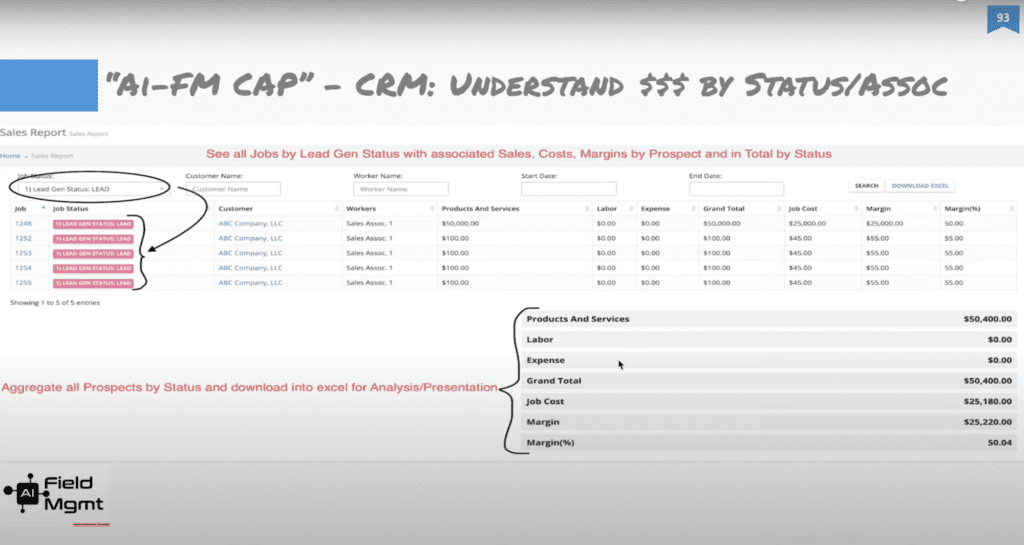
AI Field Management is a cloud-based solution that lets small to large organisations manage and collaborate with their field workforce. Teams can coordinate workers, site managers, contractors, customers, jobs, and equipment and assets by geography and time. This construction equipment management software was built mobile-first and developed on the cloud for the cloud.
Features
- Construction and heavy equipment software.
- Inventory and asset management.
- Time tracking and payroll reports.
- Track data (equipment, location, notes, payment terms…).
- Quick and accurate estimates.
- Website Portal for customers.
- Seamlessly integrable with any tools.
- Compatible with Android, iPhone, and Tablet.
Price
- Pricing starts at $7.99/user/month for paid version.
- Free version and free trial.
Qualtrax (#6)
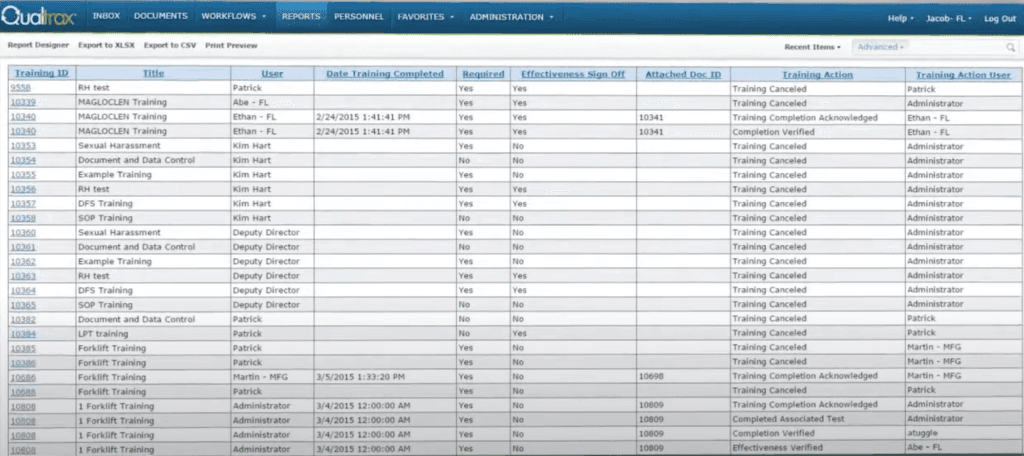
Qualtrax is a quality and equipment maintenance system that helps businesses of all sizes manage and control documentation, compliance, workflows, employee training, purchase request automation and more. It doubles as heavy equipment management software, with a deep feature set behind it.
Features
- Heavy equipment tracking and maintenance software.
- Manage and control documentation.
- Automate business processes.
- Manage customisable equipment maintenance workflows.
- Streamline testing and training.
- Manage internal and external audits.
- Ensure implementation of critical industry regulations in real-time.
- Link documents with relevant regulatory standards.
- Store audit data in a centralised repository.
Price
- The commercial and heavy equipment CRM software is available on annual subscriptions. Contact Qualtrax for pricing information.
- Free trial available.
Assignar (#7)
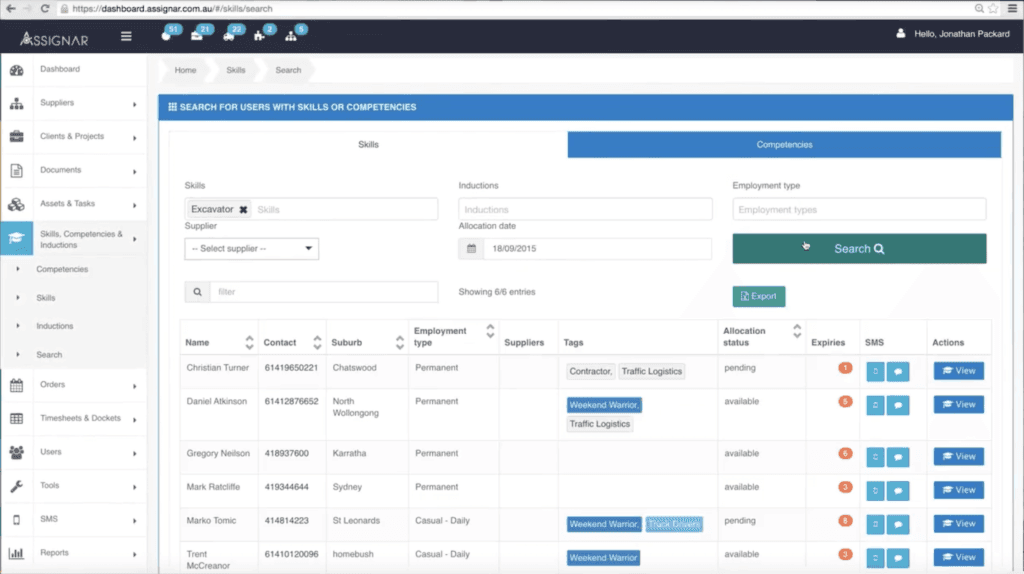
Assignar is a cloud-based compliance, asset and workforce management platform that helps contractors get more productive through efficient drag-and-drop scheduling. It simplifies scheduling, dispatch, time tracking, data collection, and communication with your field personnel and the heavy equipment they operate. Integrations with payroll and accounting systems give you the visibility and control to streamline operations.
Features
- Real-time fleet tracking.
- Schedule crews and equipment.
- Manage compliance.
- Manage assets and equipment.
- Quality and safety management.
- Monitor your progress.
- Equipment manager app compatible with Mac, Windows, and Linux.
Price
- Prices and plans on request.
- No free trial or free version.
ManageEngine AssetExplorer (#8)
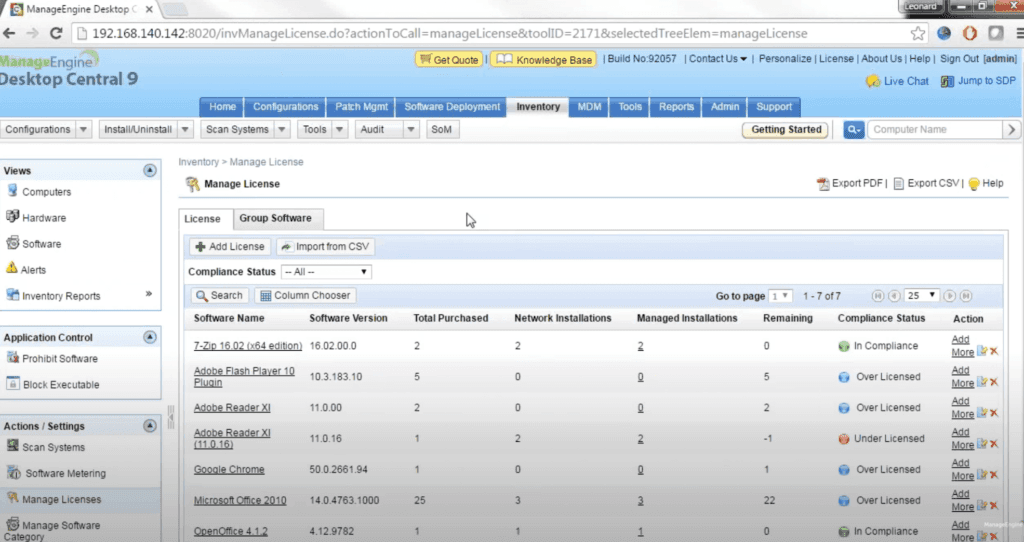
ManageEngine AssetExplorer is a web-based solution designed to help small to large businesses manage and track every asset across the organisation. The equipment inventory management software adds unified cloud monitoring for DevOps and IT operations, watching the experience of real users who access websites and applications from desktop and mobile devices. Its monitoring reach extends to applications, servers and network infrastructure, including private and public clouds, so DevOps teams can troubleshoot quickly.
Features
- Asset inventory management.
- Software licence administration.
- Compliance review.
- Customisable reports.
- Streamline the entire lifecycle of an asset.
- Purchase order management module.
- Provides configuration management database (CMDB) tool.
Price
- Annual subscription fee for 250 IT assets starts by $955.
- Free version and trial available.
FieldEZ (#9)
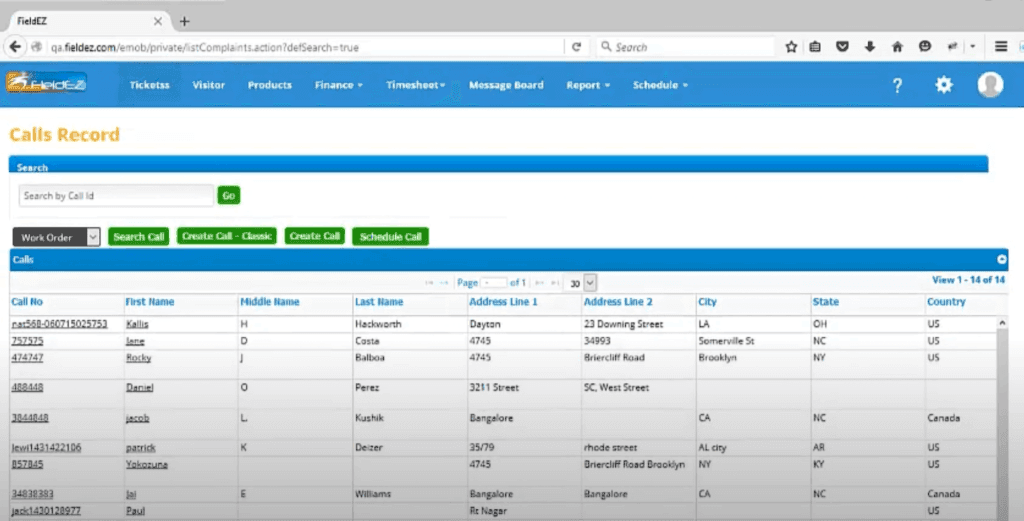
FieldEZ is a hybrid field service management (FSM) solution that helps organisations run their field operations through automated job scheduling and work order management. Teams use it for instant job planning, scheduling and tracking field crews, customer billing, feedback and more. It works on any tablet or phone, offers strong configuration and integration support including QuickBooks and Sage, and can be deployed on-premise or hosted in the cloud.
Features
- Manage field operations.
- Work order management.
- Locate customers.
- Diagnose problems and decide on the corrective action.
- Ticket management.
- Auto-scheduling and assignment.
- Collaborate with other team members and share information.
- Supports integration with various third-party systems.
Price
- The first month with FieldEZ is free.
- Lite version (equipment maintenance software for small business) and pro version (large businesses) available.
- User-based pricing plan starting by $12/user.
GoCodes (#10)
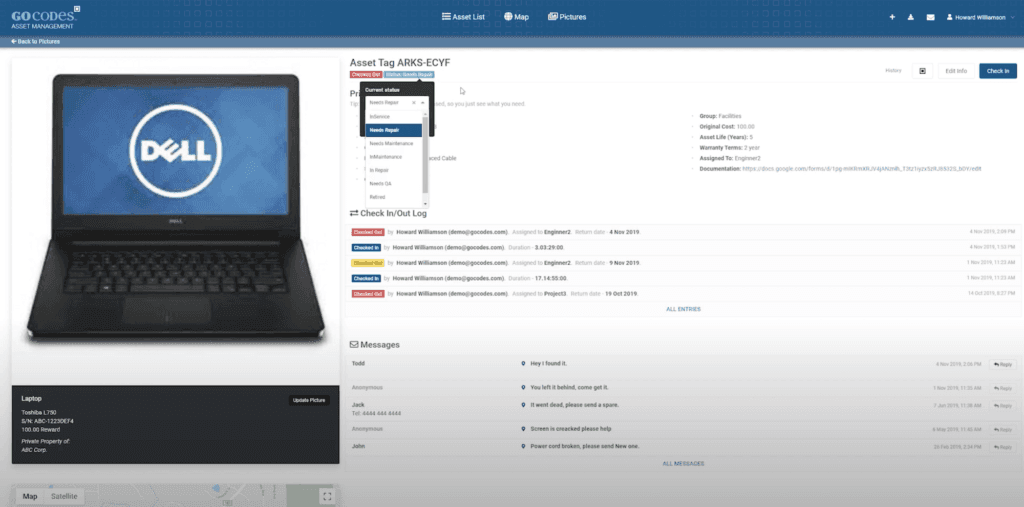
GoCodes offers an asset and inventory tracking solution that gives IT teams what they need to securely track and manage their devices on the go. The equipment repair tracking software combines secure cloud-based software with mobile scanner apps and patented QR code labels. It targets small and midsize companies in the accounting, education, construction, engineering, and healthcare industries.
Features
- Fixed asset accounting.
- Inventory management.
- Field service request.
- Maintenance management.
- GPS tracking.
- Centralised database.
- Updates inventory information by tracking products.
- Includes patented QR code asset tags and labels.
- Update and view asset information as well as check assets in/out using any computer or smartphone.
Prices
- GoCodes offers different plans starting by $450/year.
- GoCodes does not have a free version but does offer a free trial.
What Is Equipment Management Software?
Excel and other basic spreadsheets just don’t cut it any more, so if you haven’t already ditched them for asset tracking software, now is the time. Equipment maintenance software is an omnichannel computer system that tracks an organisation’s equipment and assets, optimising the management, monitoring, tracking, and maintenance of assets and equipment.
Running maintenance and expenses through a single digital system maximises efficiency and improves your return on investment (ROI). A good machine management system can change how a business operates:
- Ensuring that preventive tasks will be done on schedule,
- work orders are dealt with efficiently,
- maintenance costs are kept low
- and that businesses know where their assets are and whether they’re being used.
The same monitoring data also feeds into bigger strategic decisions.
What Does Equipment Management Software Do?
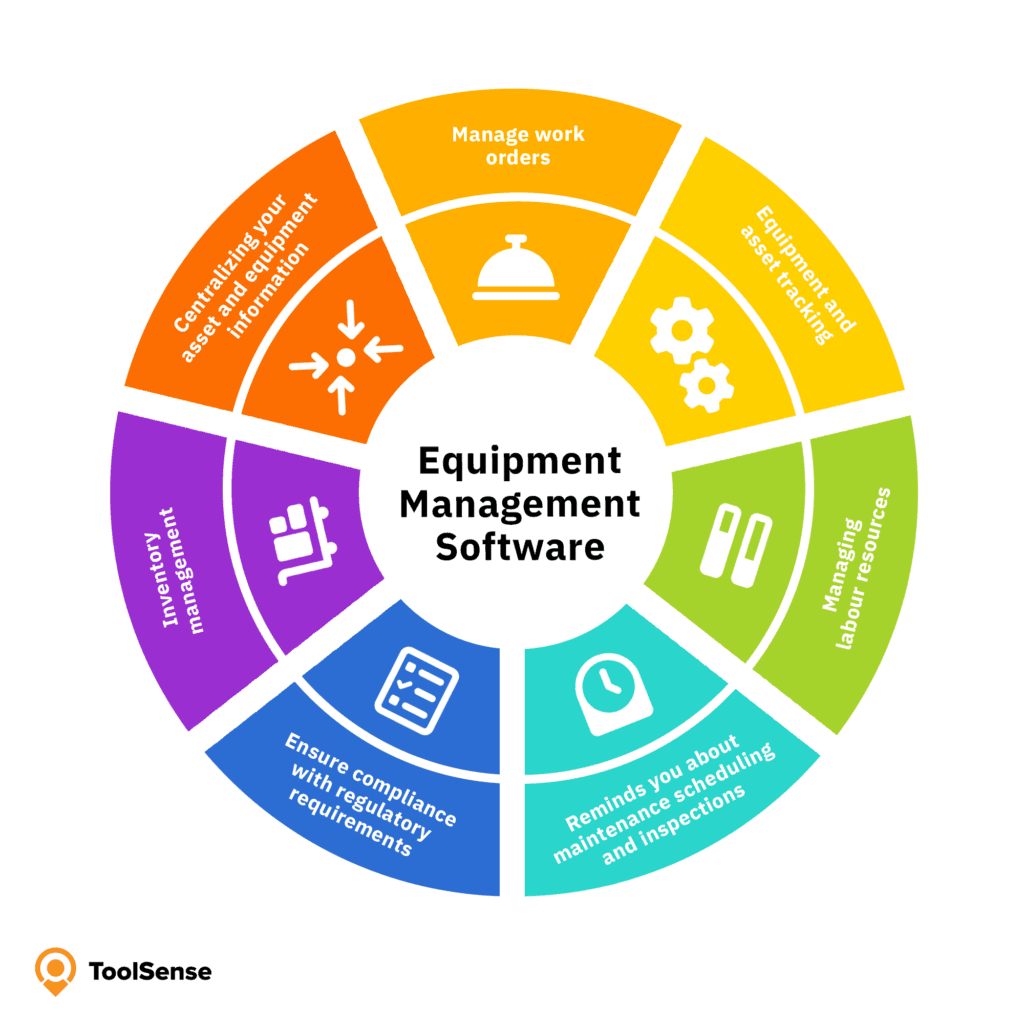
- Centralizing your asset and equipment information
- Equipment and asset tracking
- Managing labour resources
- Inventory management
- Manage work orders
- Ensure compliance with regulatory requirements
- Reminds you about maintenance scheduling and equipment inspections
How to Select the Best Equipment Management Software
Products differ widely in focus, features, and price, so start with your own business requirements rather than a feature checklist. Be clear about what you want to accomplish first. Large corporations have different needs than smaller companies, and an in-house facility management team will prioritise different features than an external service provider.
In the construction and mining industry, heavy equipment or construction equipment management software is usually the right call. For manufacturers and dealers, equipment inventory software tends to fit better. The list and comparison above gives you the price and feature details you need to make that call.
Importance of Equipment Management System
Every business runs on equipment that is critical for day-to-day operations, which is why an effective equipment management system can make such a difference. The arrival of the internet and big data has reshaped how that equipment gets maintained and managed. Asset management software earns its keep across the board: efficient resource planning, a complete record of every device, location monitoring, and reports that surface ownership, service details, and other useful information.
So keep an overview of your equipment and track maintenance with modern software. Know where each asset is and who is using it. Centralised equipment management software optimises utilisation, letting firms deploy equipment where and when it’s needed and reallocate assets quickly when priorities shift. From here, it’s a matter of choosing the equipment maintenance software that fits your business.
Conclusion : Reach a New Level of Efficiency With the Best Equipment Management Software in the Market
The real payoff of asset tracking software is the unique equipment profile: each asset carries a viewable history you can lean on for reporting and auditing. Plenty of equipment management tools have strong features, but ToolSense brings the best of them together in one straightforward app. It pairs strong usability and an easy-to-read interface with fair pricing and the core features that matter, such as managing your entire equipment fleet, reporting issues by scanning a QR Code, and flexible digitised process requests and services. You can customise solutions for your business, and it works across all devices.
A few ToolSense features stand out for the cleaning and construction industry in particular: easy machine digitisation with ToolSense IoT and automatic Total Cost of Ownership calculations. The platform also draws on partnerships with more than 20 OEMs, which brings real expertise to the table (e.g. i-team, Cleanfix, TYROLIT, Numatic, Columbus, STIHL, WOLFF Tools, NSS Enterprises…). ToolSense equipment planning software was built around exactly these needs.
With ToolSense, companies leave behind spreadsheets, notepads, and disconnected calendars. Equipment inventory software helps teams understand their resources, improve visibility and make better operational decisions.
For more context, see the overview of ToolSense use cases.
The software solutions presented in this article, and their ranking, reflect our editorial assessment and customer context from ToolSense resources. Because requirements vary by industry, fleet size and existing systems, buyers should validate shortlisted tools against their own workflows before committing.
FAQ
What is the difference between asset management software and equipment management software?
While the terms are often used interchangeably, asset management software typically covers a broader range of items including digital assets, property, and financial assets. Equipment management software is more specifically focused on physical machinery, tools, and equipment used in operations. Some platforms, including ToolSense, cover both use cases by combining detailed tracking for physical equipment with a broader asset register.
Which equipment management software is best suited for small businesses with limited budgets?
Several options on our list cater to small businesses with limited budgets. The best approach is to compare free tiers, trial availability, user limits, asset limits and implementation effort, then validate shortlisted tools against your specific operational workflows before committing.
Do I need special hardware to use IoT features in equipment management software?
Yes, to fully use IoT capabilities in equipment management software, you typically need compatible hardware. ToolSense offers IoT hardware for use cases such as machine tracking, vehicle tracking and Bluetooth-based tracking for smaller assets. When comparing vendors, check which equipment types, brands and data points are supported.
How long does it typically take to implement an equipment management software like ToolSense?
Implementation time varies depending on fleet size, data quality, integrations and workflow complexity. The process typically includes importing asset data, generating QR codes for equipment, configuring workflows and training the teams that will use the system. Larger operations or projects with ERP integrations should plan additional time for setup and validation.